Agent Matrix
Last updated: October 20, 2026
With Monaco’s Agent Matrix, agents now do the work that accelerates revenue, from finding the right companies to sell to and following up on conversations that went quiet, to preparing you for every meeting and flagging deals that need attention. The hours your team spends researching accounts, chasing follow-ups, and updating deals go back to selling.
The agents are built on Monaco’s end-to-end revenue platform, so they have both the context on your entire revenue motion, from first outreach to closed deal, and the tools to act on it, all in one place.
Agent Matrix includes ready-to-use Monaco agents, custom agents you build yourself, and building blocks like chat and connected apps. Together, they automate the work that drives revenue, so your team can close more of it.
Get started with Agent Matrix
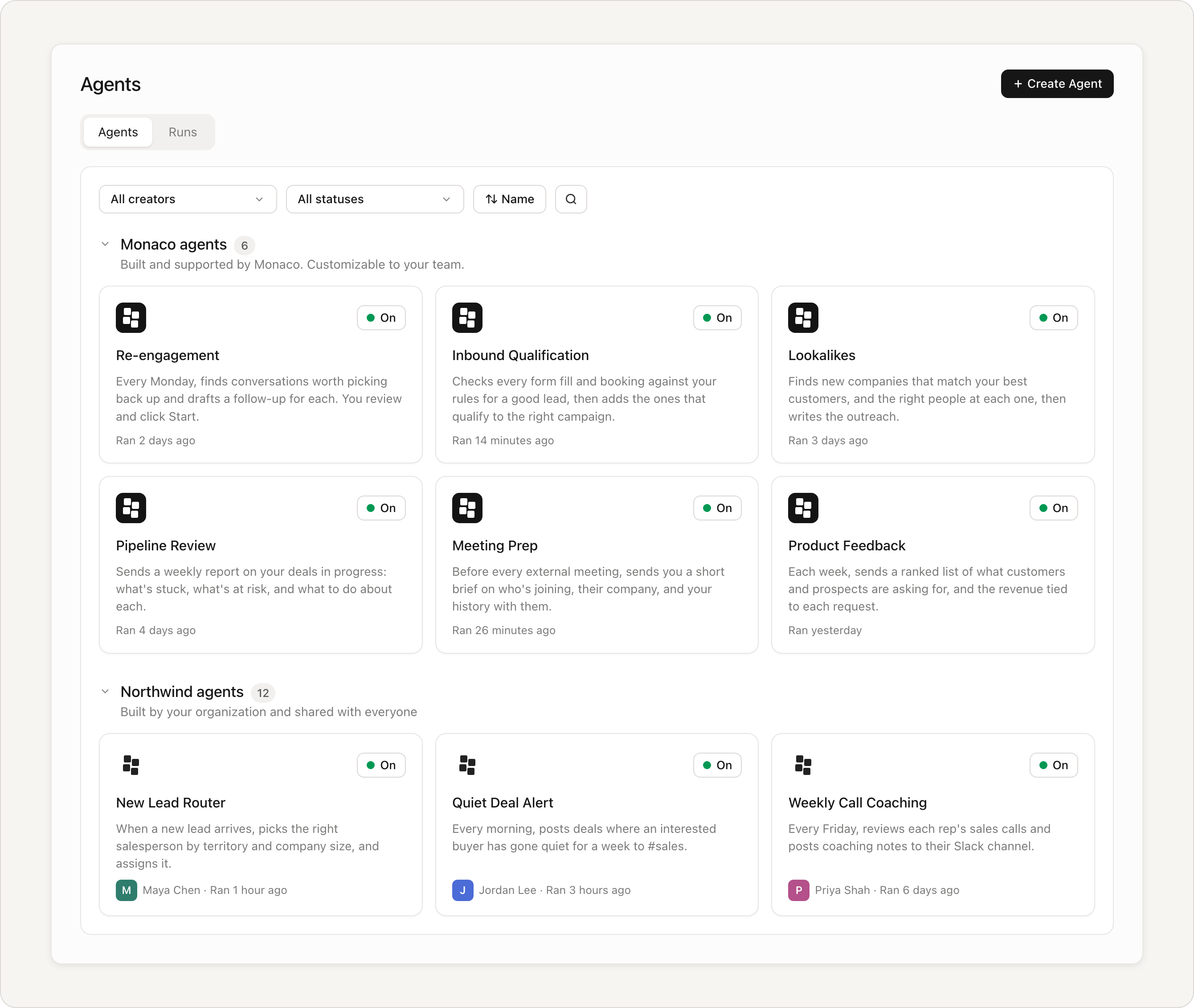
Here are three quick actions to take with Monaco's agents. Each takes less than a minute and starts paying off this week.
Check your Re-engagement agent. It's already on. Every Monday it drafts follow-ups for conversations that went quiet.
Check your Meeting Prep agent. It's already on. You'll get a short brief on the company and people before every external meeting.
Turn on Tasks. Flip the toggle at the top right of the Tasks page, and Monaco will track every follow-up you promise in a call or over an email.
How agents work together on one deal
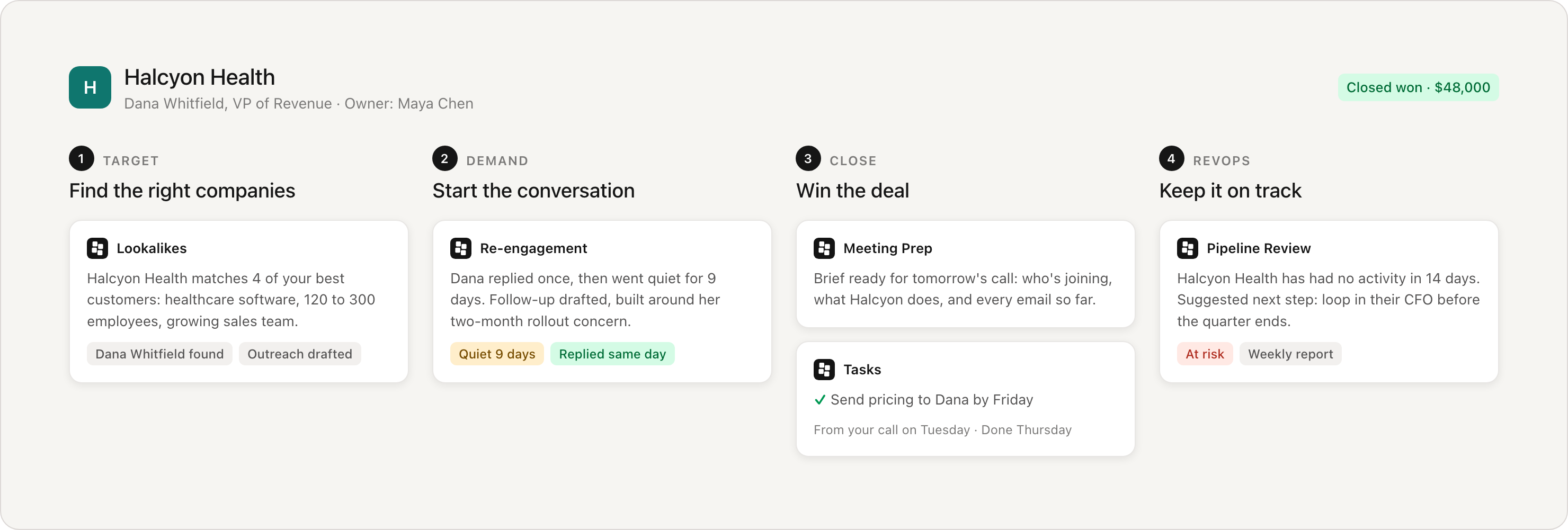
Agents cover the four stages of revenue work, and the easiest way to see it is to follow one deal from start to finish.
Find the right companies. Lookalikes studies the customers you've already signed, finds a company that looks just like them, identifies the right people there, and writes the first outreach.
Start the conversation. The buyer replies once, then goes quiet. A week later, Re-engagement notices and drafts a follow-up that picks up where the conversation left off. You review it and send.
Win the deal. The buyer books a call. The night before, Meeting Prep sends you a brief on their company, the people joining, and everything you've discussed so far. On the call, you promise pricing by Friday, and Tasks adds it to your to-do list and checks it off once you send it.
Keep it on track. Two weeks later, the deal stalls. Your Pipeline Review report flags it as at risk and suggests next steps.
Each agent picked up where the last one left off, because they all work from the same record in Monaco.
Two ways to use agents
Monaco agents are ready-made. Monaco built and tested them with dozens of customers, so you turn them on, and they just work.
Custom agents are ones you build yourself. If your team does the same job the same way over and over, describe it in chat, and Monaco builds an agent to do it. No coding required.
Both run on their own, on a schedule or when an event triggers them, and you choose whether to approve their work first or let them act on their own.
Monaco agents
Find the right companies (Target)
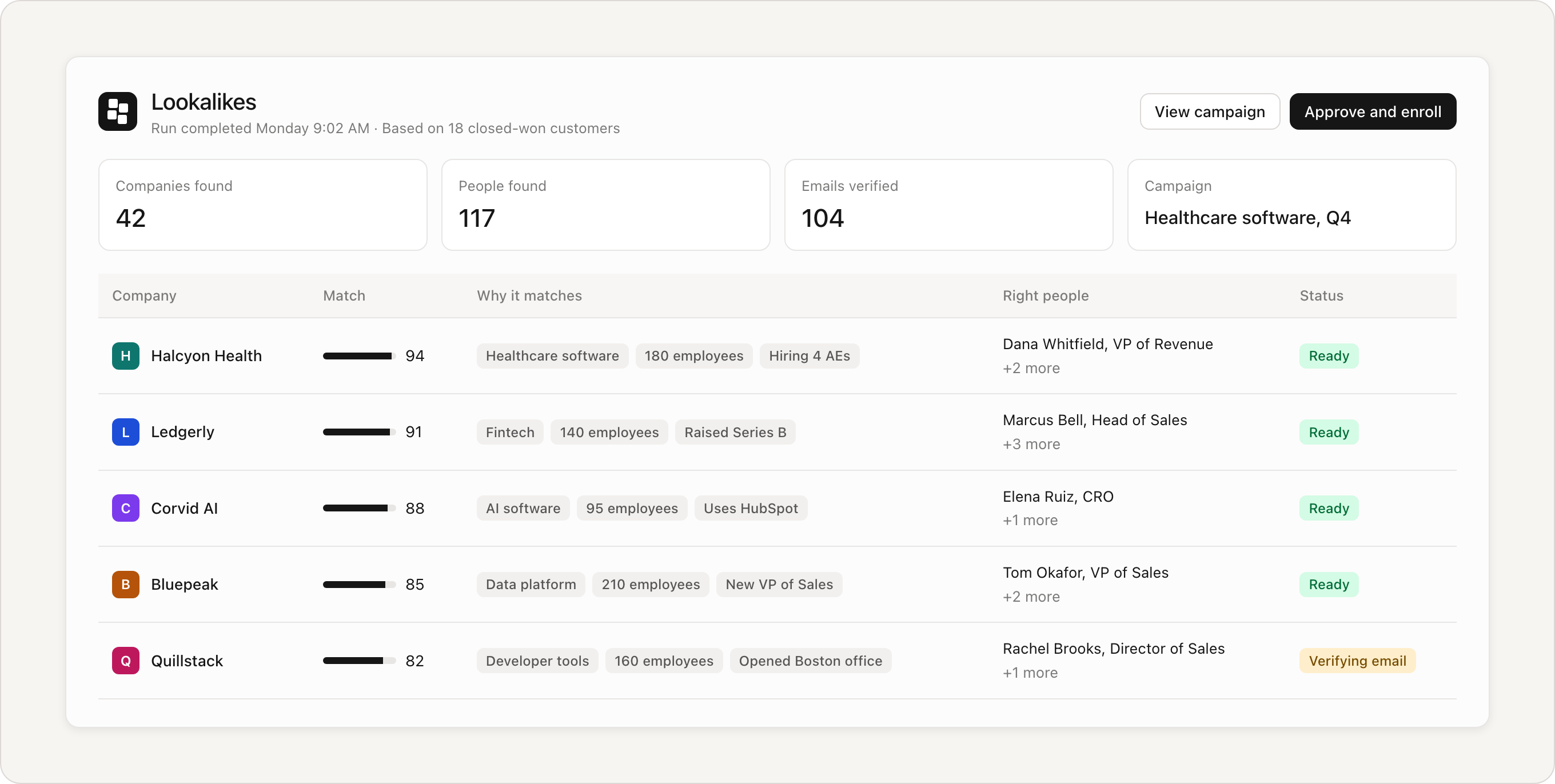
Lookalikes find new companies that match your best customers, and the right people at each one, then write the outreach. It works best if you sell to many kinds of companies. Your FDAE (the Monaco expert who works with your team) sets it up with you.
Start Conversations (Demand)
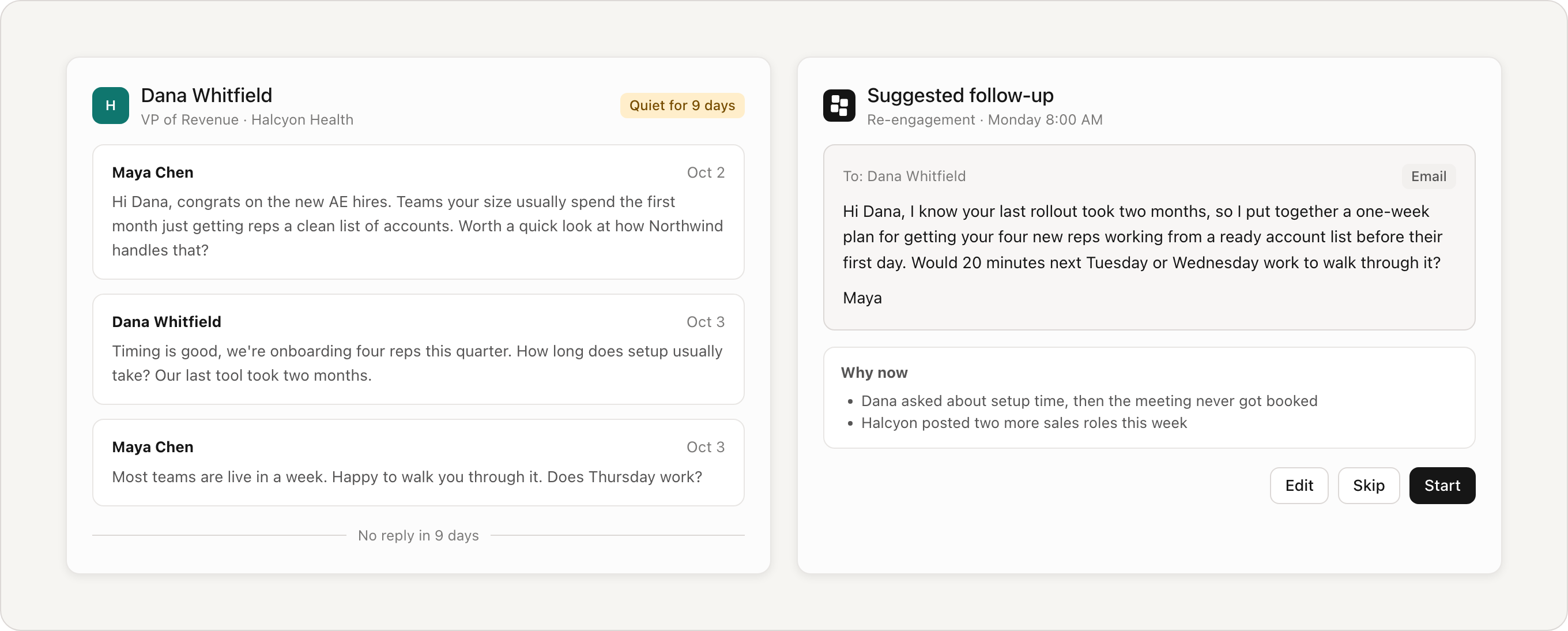
Re-engagement re-engages the demand you already have. Every Monday, it scans email, LinkedIn, and meetings for conversations that have gone quiet and drafts the next message for each. You review the drafts and click Start. Already on for every account. Learn more.
Inbound Qualification (Demand) qualifies leads from forms, website visits, product sign-ups, and other inbound sources against your criteria. It creates or updates CRM records for qualified leads and routes them to the right audiences for campaign follow-up. Your FDAE helps you set it up Learn more.
Win Deals (Close)
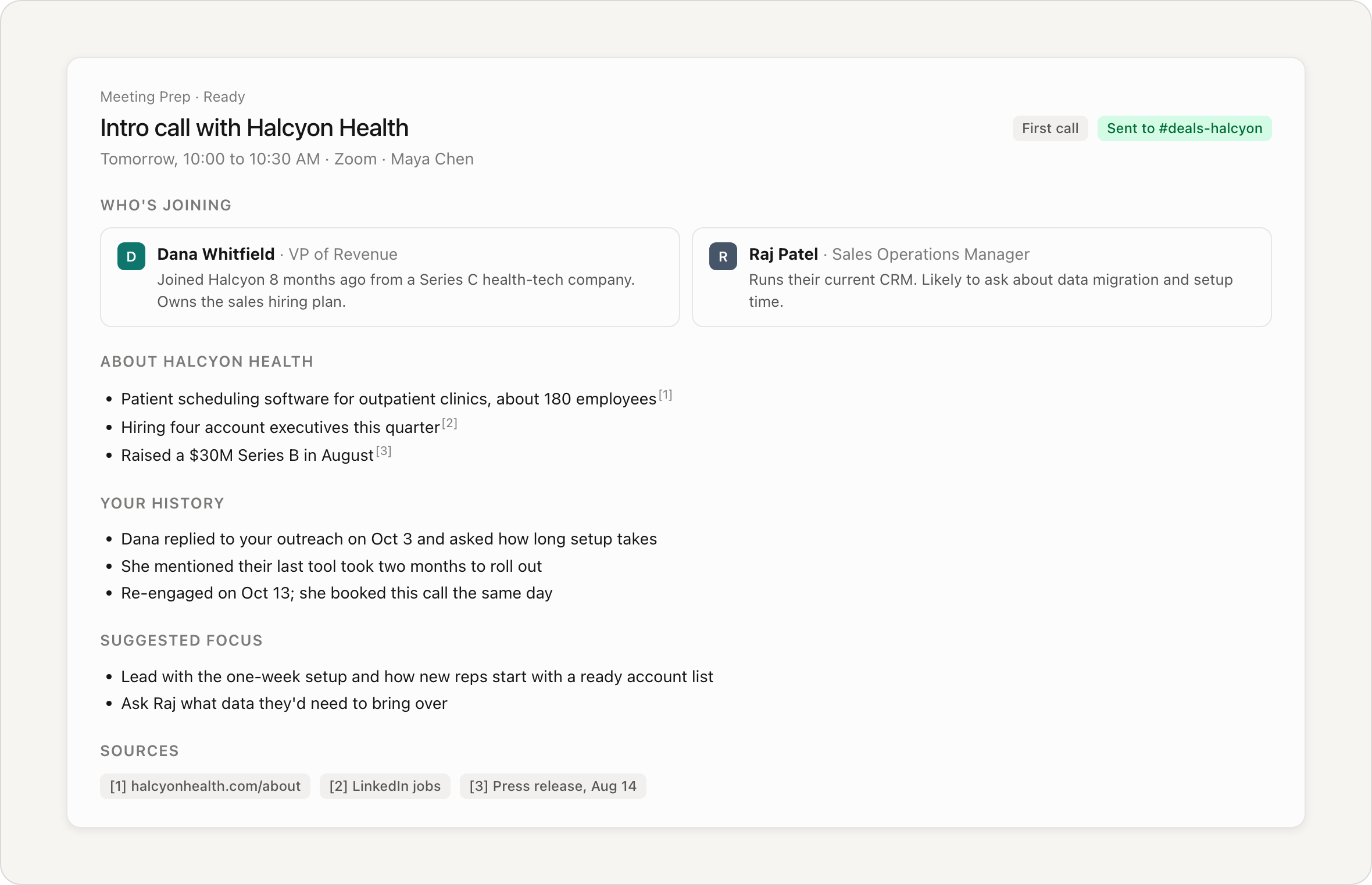
Meeting Prep sends you a short brief before every external meeting: who's joining, what their company does, and your history with them, with links to every source. Briefs can go to Slack or your inbox, and some teams set up a morning roundup of the day's calls, each with its brief. Already on for every account.
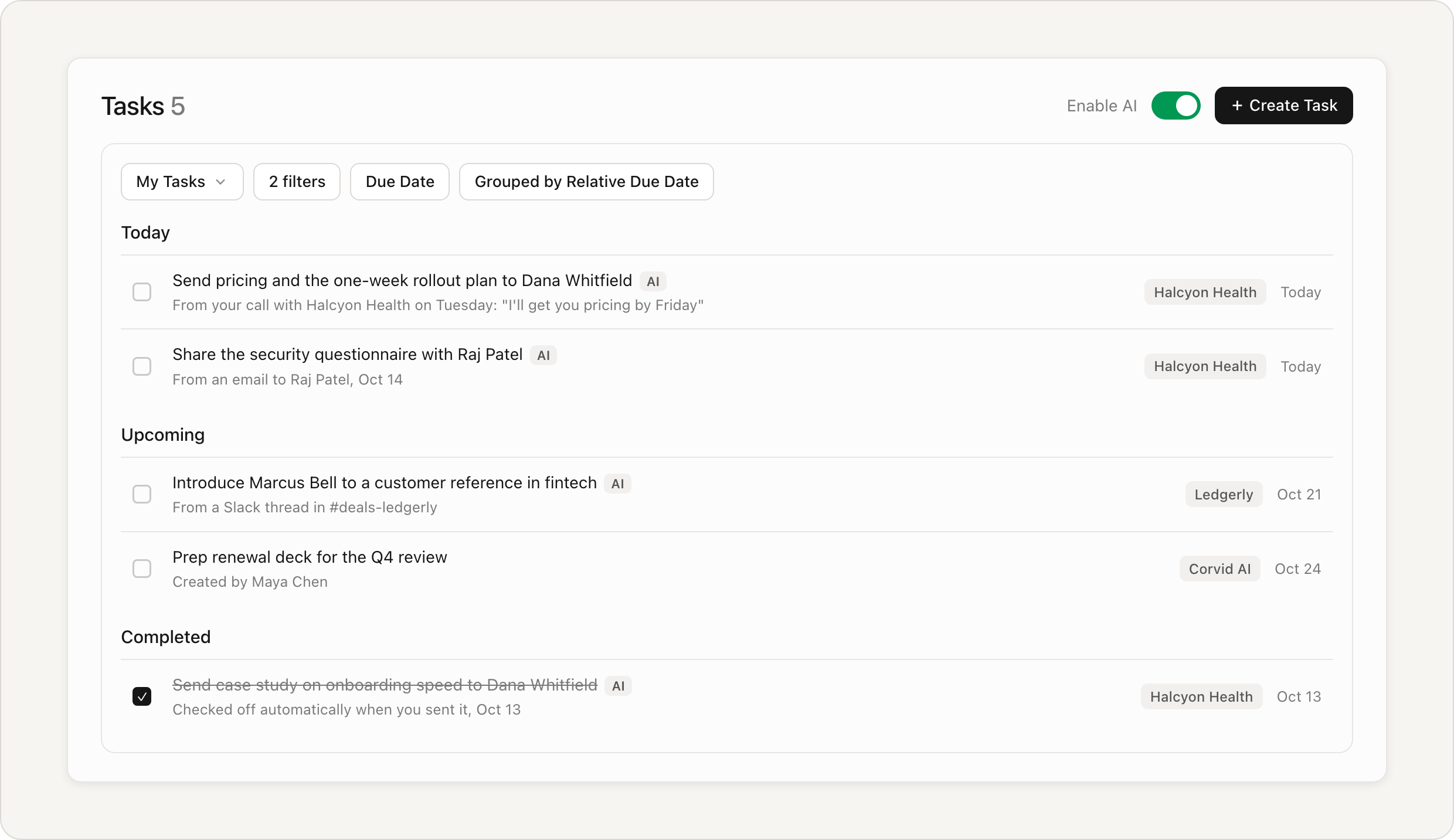
Tasks catches the promises you make in email, meetings, and Slack, adds each one to the deal as a to-do, and checks it off when you follow through. Turn it on with the toggle at the top right of the Tasks page. Learn more.
Track Revenue and Win/Loss Reasons (RevOps)
Pipeline Review sends a report on your deals in progress on a schedule you choose: which are stuck, which are at risk, and what to do about each. Add your revenue goal, and it shows how close you are. Turn it on from the Agents page.
Product Feedback reads your customer and prospect conversations each week and sends a ranked list of what people are asking for, with how much potential revenue is tied to each request and a link to the conversation it came from. Turn it on from the Agents page.
Custom agents
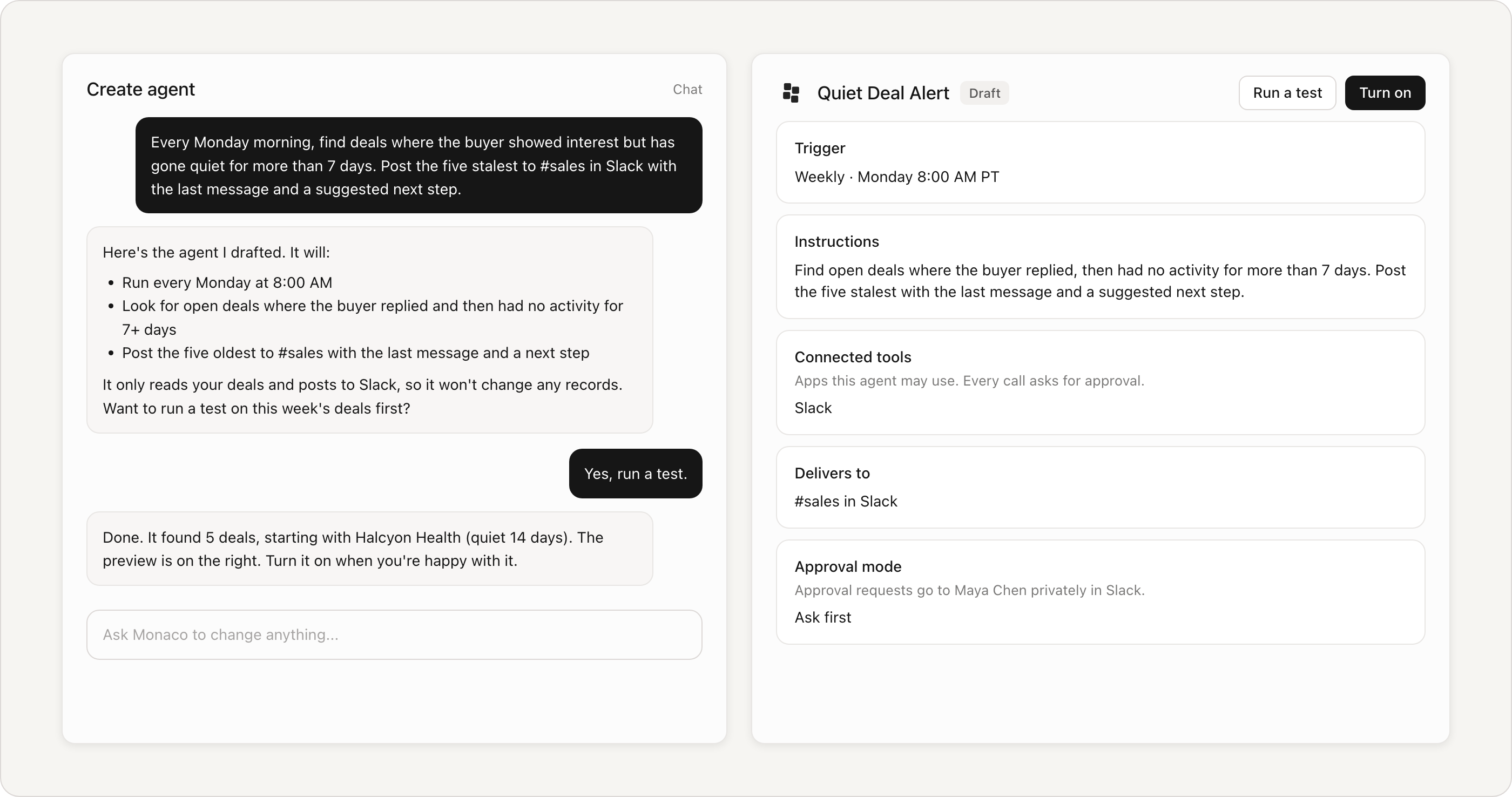
On the Agents page, click Create agent.
Describe the job in plain language: what starts it, what it does, and where the results go.
Test it on a real deal, then turn it on.
Teams have built agents that send each new lead to the right salesperson, flag deals where an interested buyer went quiet, and post weekly feedback on sales calls to Slack. Give each agent one job, and keep approval on for the first few days while you check its work.
Tools that make agents more useful
Chat. For one-time requests, just ask Monaco: build a list, write outreach, review your recent calls, or pull a forecast. You can ask from inside Slack too, with Monaco Copilot. Learn more about chat.
Connected apps. Connect tools like Notion, Linear, and Stripe so agents and chat can work in them too. An admin adds connections in Settings. Learn more.
Turn on your agents
Open the Agents page to see what's already running for you, turn on more, or build your own. Your FDAE can help you pick the right agents for your goals.